

Rumors and secrets
Follow the expanded goal board, resident leads, map records, hidden routes, and a rumor network that rewards wandering.
Out now on Steam · Windows & macOS
Mine, build, dodge, sail, follow rumors, and turn a hostile little island into a place worth coming back to. The world starts as a bureaucracy problem. You make it a home, then keep going after the final audit.


A top-down pixel RPG built around short, readable loops: gather what the island gives, craft the pieces you need, place them with gamepad-friendly controls, and push deeper into new regions when your home can carry you through the next problem.
Field Book index

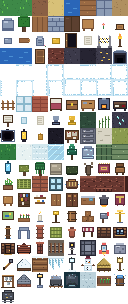 Blocks and itemsWood, Stone, Scrap, Resin, room kits, rail and launch parts.
 ResidentsGerald, Clementine, wardens, route figures, Bureau pressure.


Release
ONE (1) WORLD is out now on Steam: a single-player game for Windows and macOS, released on September 22, 2026. The Steam page carries the current price and any discount, and it is where updates and patch notes land first.
Follow the expanded goal board, resident leads, map records, hidden routes, and a rumor network that rewards wandering.
Build useful rooms, farm, ranch, automate daily chores, invite residents, and keep your edits when the world reloads.
Learn readable enemy tells, hunt rare encounters, challenge regional bosses, and carry rewards into the post-audit game.
Connect home, caves, rail, sea, rocket, Moon, and orbital routes, and keep going once the island is behind you.
Game wiki shelves
Friends, ambient wildlife, hostile tells, rare keep leads, and boss-route species.
Open bestiaryMaterials, room kits, requisitions, homestead helpers, rail pieces, and launch parts.
Open items
Home Dock, Tidal Islet, Storm Cairn, railhead, launch yard, Moon, and orbit links.
Open routesDragon Gate, Frost Crown, Kingwatch, Bureau bosses, arena identity, and first counters.
Open bossesWhat you actually do
Starter kits, hotbar assignment, tracked goals, and build-guide ghosts are designed so placing the first room does not require translating a spreadsheet into a menu.
Combat has stamina, windups, hit feedback, regional enemies, and hazards that turn weather and terrain into things you read instead of background decoration.
Bloom Meadow, Scrublands, marsh, quarry, frost, cave routes, tidal islets, and Storm Cairn each feed recipes, map notes, home perks, and new routes.
The guide, path, home, map, regions, stars, and records pages keep goals readable without pinning every answer to the HUD.
Media
In-game captures and game sprites, kept visible so the wiki reads like an island notebook instead of a clean storefront. The trailer plays at the top of the Steam page.


Wiki preview
First room, first bed, first Field Book goals, first shop visit, and the cleanest route out of the opening scramble.
Bloom Meadow, quarry, marsh, frost, caves, Tidal Islet, Storm Cairn, railhead, Moon, orbit, and deep-space route notes.
Wood, Stone, Scrap, Resin, Torch, Paper, room kits, launch parts, rail pieces, and when Clementine is worth visiting.
Rooms, yard helpers, Garden Beds, Rain Barrels, Ore Sorters, comfort, storage, workshop bonuses, home warmth, real seed-to-harvest crops, and a ranch trio for milk, eggs, and wool.
First friends, rare keep friends, the home visitor who settles into your yard, region wildlife, and the Ranch's cow/chicken/sheep trio — critters stay befriend-only, separate from the ranch.
Field enemies, readable charge tells, Ember Wyrm, Frost Dragon, Kingwatch guardian, drops, arenas, and route unlocks.
The public wiki path stays focused on what a player can do, find, build, fight, befriend, and unlock.
Before you buy
Everything here matches the Steam store page and the shipping build. If an answer and the Steam page ever disagree, the Steam page is the one to trust.
Windows 10 or 11 (64-bit) and macOS 13 or later, on Steam. Windows needs a dual-core 2.0 GHz CPU, 4 GB RAM, a Vulkan 1.0 capable GPU and 1 GB of storage; a Mac needs Apple silicon or a Core i5 with Metal 3. There is no Linux build.
Steam lists Deck compatibility as Unknown: Valve has not reviewed the game yet, so there is no verified or playable rating to claim.
The current price and any discount are on the Steam page. We do not repeat a number here, so the two can never disagree.
Both. The game has full controller support with Xbox-style prompts, prompt presets for other pad families, and remappable bindings in Settings. Mouse and keyboard play is fully supported.
Three difficulty modes — Lenient, Standard, and Strict — plus UI text scaling, color-vision modes, dialogue speed, screen-shake intensity, and Reduce Motion in the accessibility settings.
Single-player only, with Steam Achievements and Family Sharing. Play in English, Spanish, French, German, Italian, Brazilian Portuguese, Japanese, Korean, Simplified Chinese or Polish: the game follows your Steam or system language, and you can switch any time in Settings.
On Windows, in
%APPDATA%\Godot\app_userdata\ONE (1) WORLD; on a Mac, in
~/Library/Application Support/Godot/app_userdata/ONE (1) WORLD.
Copy that folder to back a playthrough up or move it to another machine.
Mail overboardapps@gmail.com with what you were doing and what happened. Save files and screenshots help.
Choose a route
Start with the first room route, then look up the region, item, creature, or resident that is blocking your next home project.